
⚔️Auto-attack Device
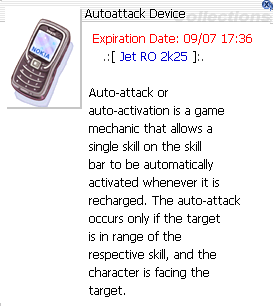

🧾 Description
Autoattack Device
Grants Auto Combat controls. Automatically performs Normal Attack or one selected skill whenever it’s ready. Works only if the target is in range and in front of you. Includes options for monster selection, buffs, loot, teleport, and regeneration. Expires: shown on item.
🚀 Quick Start (2 minutes)
- Use the Autoattack Device — or just type
@autoattack(short:@aa) — to open the control panel. Every character is handed a free Autoattack Device on login, and the commands are available to all players. - ✅ Turn on Auto Combat.
- Choose either Normal Attack ⚔️ or Attack Skill ✨ (pick from the skills you have already learned).
- Set Monster Select 🎯 (what to fight/ignore).
- (Optional) Add Buff Skill 🛡️ / Buff Item 🧪.
- (Optional) Configure Loot Settings 💰 and Teleport Settings 🌀.
- Save/OK. Stand near targets—your character handles the rest.
🔧 Menu Options (what each switch does)
- 🔁 Auto Combat – Master toggle. Enables everything below.
- ⚔️ Normal Attack – Uses basic attacks at max ASPD your build allows.
- ✨ Attack Skill – Pick any of your learned offensive skills and set the level for each. Enabled skills are cycled through as they come off cooldown.
- 🎯 Monster Select – Lists every monster present on your current map; toggle the ones you want attacked, or Clear Selected to reset.
- 🛡️ Buff Skill – Auto-recast self-buffs when they wear off.
- 🧪 Buff Item – Auto-consume scrolls/foods/pots for timed bonuses. This list includes Life Insurance, which removes the death EXP penalty for 30 minutes and survives dying, so one bottle covers every death inside that window — the difference between an unattended session that keeps its exp and one that loses roughly two Beelzebub kills' worth every time it drops at level 100+. All three versions are selectable: Life Insurance T and both Life Insurance NT (including the 10 account-bound ones the Newbie Helper gives every new account). Auto Combat opens exactly one at a time and will not start a second while the first is still running.
- 💰 Loot Settings – Choose Disable Looting, Loot Everything, or Loot Group 1 / Group 2 Only. Each group is your own list of item IDs.
- 🌀 Teleport Settings – Use Teleport Skill / Fly Wing, teleport away from MVPs or from selected monsters, emergency-teleport HP threshold (3–90%), teleport after no monsters found (up to 120s), and teleport when too many monsters target you.
- 🪑 Auto-Sit Regeneration – Sit when safe to recover HP/SP faster. Set an HP and/or SP threshold from 0–75% (0 disables).
- 🏹 Auto switch – For bow, gun, whip and instrument users. Auto Switch Arrow picks the arrow/bullet whose element counters the monster you’re fighting, and equips a fresh stack from your bag the moment one runs out. Auto Switch Warm Wind keeps a Taekwon’s Warm Wind element up to match the target. Both settings are saved to your character.
- 🔋 Skill Regeneration – Use skills that restore resources if available.
- 🧴 Regeneration Potion – Auto-use HP/SP potions at set thresholds.
📊 Rates: Auto Attack applies no penalties — you gain EXP and item drops at the full server rates, exactly the same as playing by hand.
📍 Where it can’t be used: Auto Combat cannot be started in towns (including Jet Island), in the Guild Dungeons, in the Endless Tower / Nidhoggr’s Nest / Endless Cellar instances, on the PvP arena, or on GvG Castle and Battleground maps.
👥 Session limit: A maximum of 4 combined Auto Combat / Auto Support sessions may run at the same time from one machine (per Gepard unique ID).